Page-turner remotes
A page-turner remote is a small Bluetooth clicker, often sold for presentations or e-readers. It's the simplest way to read hands-free: mount your iPad on a stand or arm and keep the remote in your hand.
Panels works with remotes that send arrow keys. See How remotes and controllers work for how to check what a remote sends.
Satechi R2
Satechi R2 Bluetooth Multimedia Remote
Status: Works out of the box for turning pages.
- Pair the remote in Settings → Bluetooth.
- Switch the remote to presentation mode. Its multimedia mode only controls video and music playback.
- Open a comic and use the remote's buttons to turn pages.
The R2 also has a mouse mode that you can use to move around the app, but scrolling through long lists with it is awkward. Most people use it only to turn pages and tap the screen to pick the next comic.
Kobo Remote
Status: Works if you set the scroll direction to vertical.
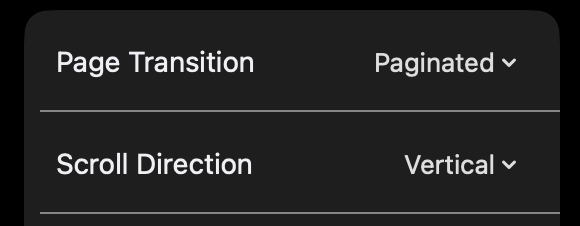
The Kobo Remote sends ↓ for next page and ↑ for previous page. Panels only uses ↑ / ↓ to turn pages when the scroll direction is vertical, so:
- Pair the remote in Settings → Bluetooth.
- Open a comic, tap … → Configure reader, and set Page transition to Paginated and Scroll direction to Vertical. See Reader configurations.
- Save this as a preset so you can switch to it quickly.
With Continuous page transition, the remote scrolls about three quarters of a screen per press instead of a full page.
The vertical scroll direction doesn't support right-to-left reading, so this setup doesn't work well for manga yet.
Remotes that won't work
- Remotes that send volume up / down, including many generic "Kobo-compatible" page turners sold online. iOS doesn't let apps use volume key presses. Check with keyboard-tester.com before you buy.
- Remotes that send Page Up / Page Down. Panels doesn't respond to these keys.
- Remotes in media mode. Switch to presentation or keyboard mode if your remote has one.